
Security mode
Security mode is a 12-hour hold on withdrawals and miner sales. It switches on automatically whenever the credentials protecting your account change: your email, your password, or two-factor authentication. Everything else keeps working, and the pause gives you time to react if the change wasn't yours.
How do I know security mode is active?
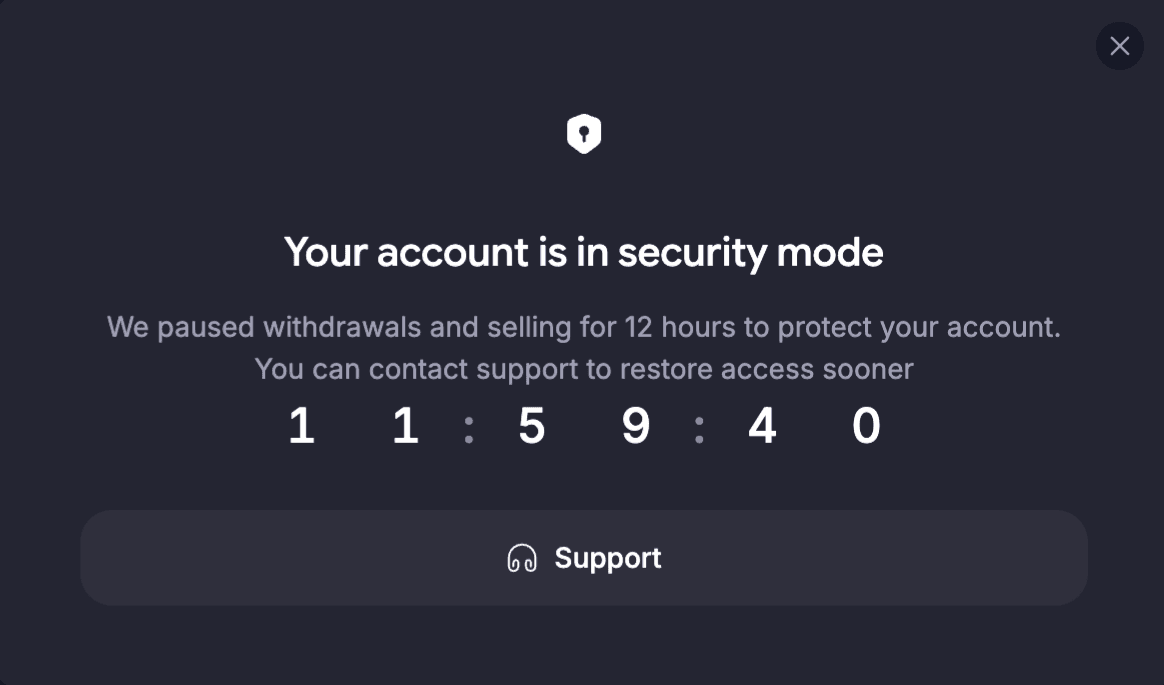
Open the withdrawal or selling screen and you'll see the Your account is in security mode message with a countdown of the time left.
What turns security mode on?
Security mode starts automatically after any of these actions:
- You change the email address linked to your account
- You change your password
- You disable two-factor authentication (2FA)
What is paused?
For 12 hours after the change, you can't:
- Withdraw funds from your GoMining wallet
- Sell miners
Everything else works as usual. Your miners keep mining, rewards keep arriving in your wallet, and deposits are credited normally.
Can the hold be lifted sooner?
Yes. Contact the GoMining support team via live chat on app.gomining.com or by email at [email protected]. Once they confirm the request is coming from you, they can restore access before the countdown ends.
I made the change myself. Why is my account still on hold?
Security mode applies to every account, with no exceptions. Changing an email, a password, or 2FA is the first move an attacker makes after getting into an account, so the pause gives you a window to react if the change wasn't yours. When it was, our support team can confirm that and lift the hold early.